Shopify Checkout Optimization: Small Friction Points That Are Costing You Sales
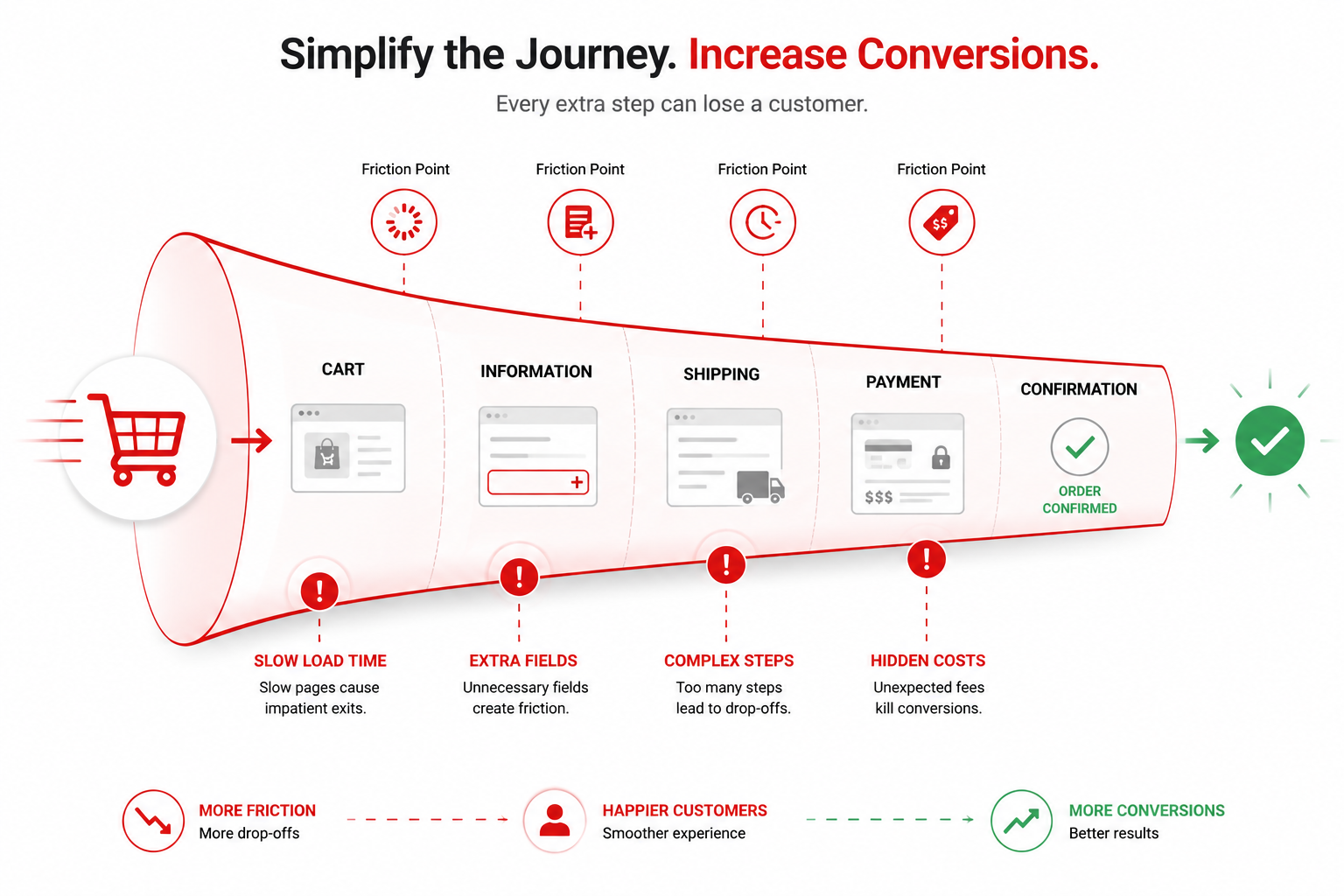
The average e-commerce checkout abandonment rate sits well above 60%, and for most Shopify stores, the culprit isn't pricing or product quality — it's friction baked into the checkout flow itself. A few extra seconds of load time or one unnecessary form field is often the difference between a completed sale and an abandoned cart.
Where Shopify Stores Typically Lose Conversions
1. Slow cart and checkout load times. Every additional second of load time during checkout correlates directly with higher abandonment. Heavy apps, unoptimized images, and unnecessary third-party scripts loaded on the checkout page are common causes.
2. Forcing account creation. Requiring a login before checkout remains one of the most avoidable conversion killers. Guest checkout should always be the default path, with account creation offered as an option afterward.
3. Hidden costs revealed too late. Shipping fees, taxes, or surcharges that only appear on the final step create a trust break at the worst possible moment. Surfacing estimated totals earlier in the cart reduces last-minute drop-off.
4. Too many form fields. Every unnecessary input field is a micro-decision that slows the user down. Address autocomplete, saved payment details, and minimal required fields all compound to speed up completion.
5. Weak mobile checkout experience. With the majority of e-commerce traffic now mobile, checkout buttons, form fields, and payment options that aren't properly optimized for touch interaction cost disproportionately more conversions on mobile than desktop.
What Custom Liquid Optimization Actually Fixes
Shopify's default themes are built to work broadly across thousands of stores — which means they're rarely tuned for your specific customer flow. Custom Liquid theme adjustments allow for:
- Streamlined checkout steps tailored to your actual product and shipping logic, rather than generic defaults.
- Custom schema metadata so rich snippets (price, availability, reviews) show up correctly in search results, improving pre-click trust before a visitor even lands on the store.
- Sub-second cart interactions by trimming unused app scripts and optimizing how cart updates render.
- Payment and shipping logic tuned to your actual customer base — for instance, surfacing the most-used payment method first instead of a generic default order.
A Simple Audit You Can Run Today
Before a full rebuild, a few quick checks reveal a lot:
- Time your own checkout flow on both desktop and mobile — does it feel instant, or is there a noticeable delay between steps?
- Check whether guest checkout is actually the default, not just available.
- Look at what apps are active on your checkout page and ask whether each one is worth its loading cost.
- Confirm your shipping costs are visible before the final payment step, not after.
When to Bring in Custom Development
If your store still relies heavily on stacked apps and default theme behavior, incremental fixes only go so far. A proper Shopify customization pass — auditing checkout flow, tuning Liquid code directly, and validating everything with real conversion data — tends to produce a bigger, more durable lift than another round of app installs.
Want a clear picture of where your store is leaking conversions? Run a free instant website audit, see real store results in the portfolio, or book a free 30-minute consultation to walk through your specific checkout flow.